Email migration tool
Migrate mailboxes between Google Workspace, Microsoft 365, Exchange, and other email systems.
Prepare before launch, catch issues early, and stay in control through completion.
Start your email migration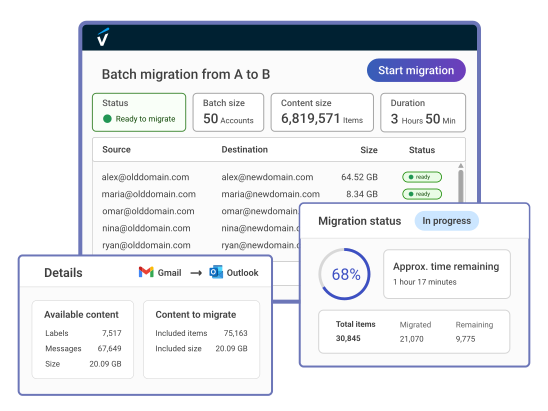
Built for reliable email migrations
- Preserve folders, labels, attachments, and metadata
- Surface common blockers before migration starts
- Leave source email intact throughout the migration
- Verify the result with detailed item-level reports


VaultMe is built for small and medium-sized migrations of 5-500 accounts.
It brings mailbox setup, preparation, execution, sync-ups, and reporting into one guided workflow.
Who uses VaultMe
IT administrators
Plan and run provider transitions, employee mailbox migrations, and account-retention projects with one clear workflow.
Managed service providers
Deliver repeatable mailbox migrations for clients, from one-time provider switches to ongoing onboarding, offboarding, and retention work.
Small business owners
Run your company's email migration yourself with a guided workflow designed for administrators who are not migration specialists.


Supported service providers
Migrate email to and from


Features
Mailbox support
- Migrate individual mailboxes
- Migrate shared mailboxes
- Connect business accounts
- Connect personal accounts
Account connections
- Use admin authorization
- Send user authorization links
- Connect individual mailboxes
Pre-migration checks
- Validate mailbox access
- Check destination storage
- Verify licenses and permissions
- Review actionable warnings
Migration preferences
- Migrate email only
- Merge or separate content
- Set options per mailbox
Migration execution
- Run mailboxes in parallel
- Start now or schedule
- Monitor progress in real time
- Run sync-ups on demand
Migration reports
- Review every migrated item
- See destination locations
- Review issues with explanations
- Download as Excel files
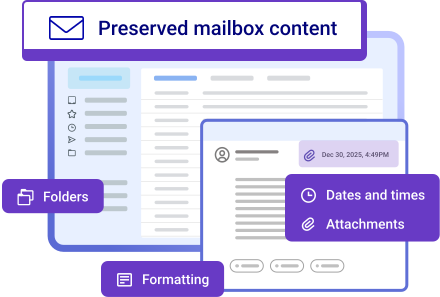
Preserving email content
VaultMe preserves mailbox organization and message details as faithfully as possible.
- Folders
- Labels
- Attachments
- Formatting
- Dates and times
- Other metadata


Why VaultMe?
A focused approach to complete, predictable email migrations.

Broad compatibility
Migrate mailboxes between Google Workspace, Microsoft 365, Exchange, and hundreds of IMAP-compatible email systems.

Complete by default
Preserve the full mailbox and its organization as completely and faithfully as possible.

Preparation first
Pre-migration checks surface common blockers before launch, reducing problems after migration starts.

No licenses
Set up the migration first, then pay only for the mailboxes and content you actually migrate.

Guidance throughout
Get practical help through documentation, in-app guidance, context-aware AI assistance, and human support.
Set up your migration in five steps
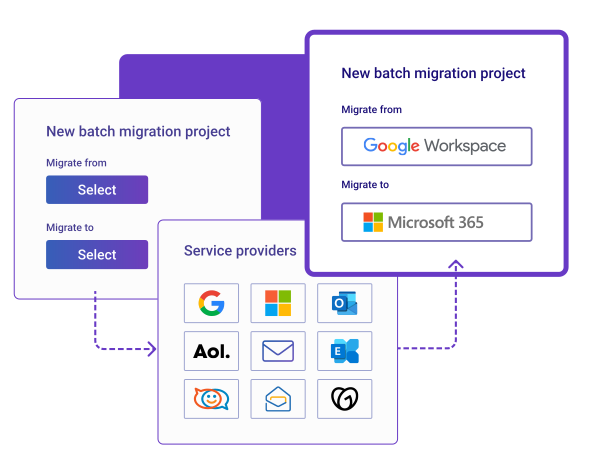
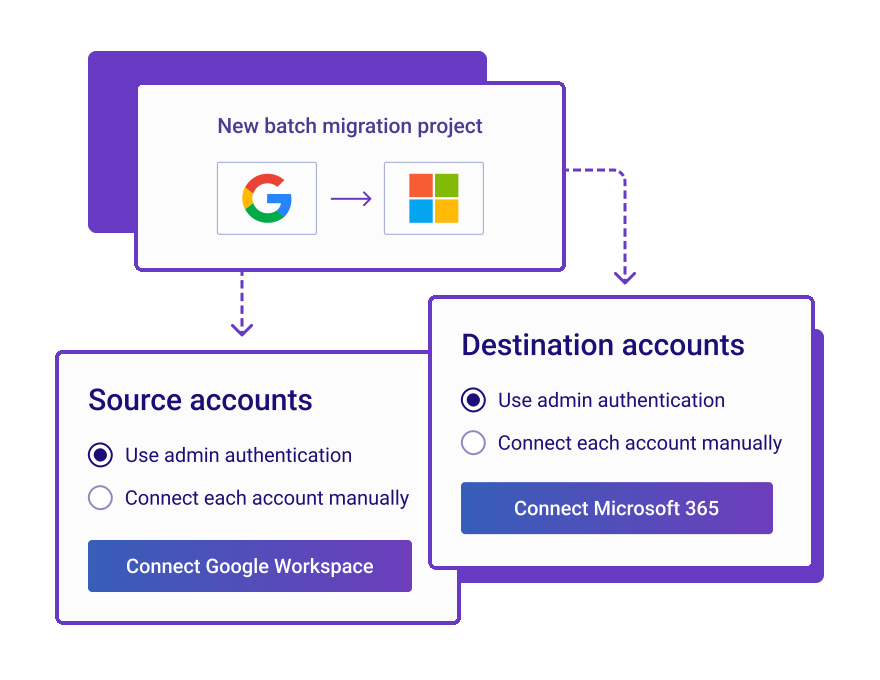
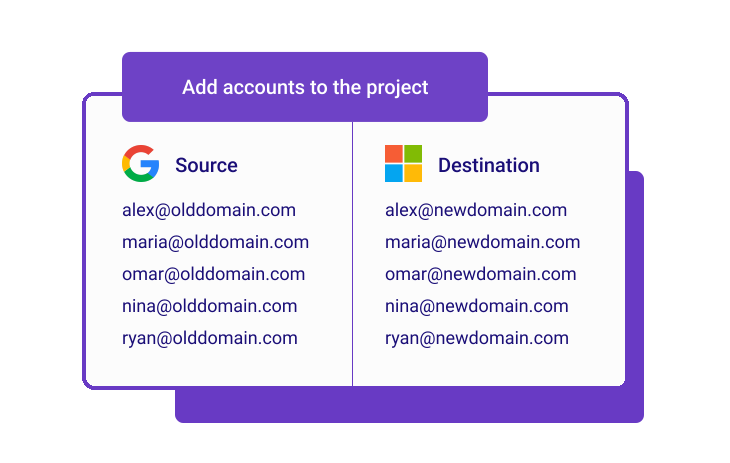

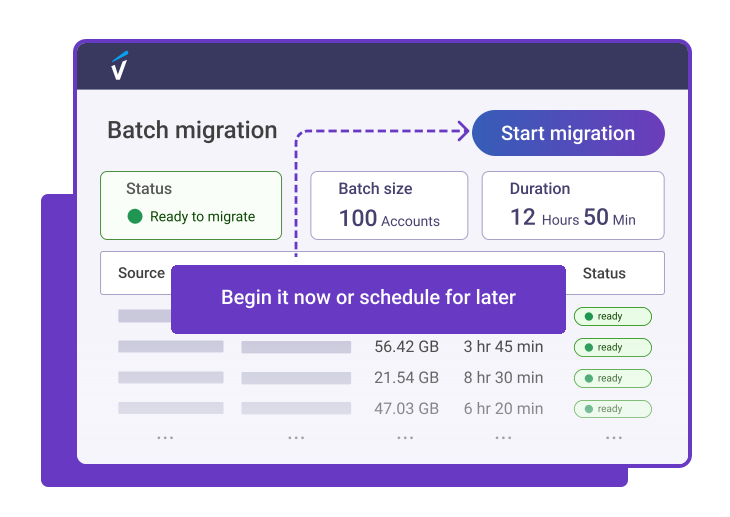
- 01Choose providersSelect the source and destination email providers.
When to use VaultMe
Switching email providers
Migrate users and mailbox content from one supported email system to another.Mergers and reorganizations
Bring mailboxes and email content into company-managed email systems during mergers, acquisitions, separations, or internal reorganizations.Onboarding and offboarding
Bring a new employee's existing email into a company mailbox, or transfer a departing employee's email to another company-controlled account.Mailbox retention
Retain email from former employee mailboxes in company-controlled accounts for future reference, legal review, or compliance.
Security and compliance

VaultMe protects migration content during transfer and processing, and uses it only to run and support the migration.
- Encrypted cloud-to-cloud transfers
- GDPR and CCPA compliant
- Vetted by independent third parties
Reviews
See what IT professionals say about VaultMe.
- Read the full review on CapterraWe've relied on VaultMe for nine years now, and it has consistently impressed us with its performance, attention to detail, and responsive support. Whether handling one-off migrations or larger batch jobs, the results have always been reliable.
- Read the full review on CapterraVaultMe works seamlessly. It walks you through the migration process, step by step. ... The process was smooth, quick, and a good value.

Pricing
No subscriptions or licenses.
- $0.20 per GB migrated
- $0.20 per 1,000 items migrated
Email migration guides
Choose the source and destination to open the step-by-step guide for your migration path.
Select both providers to view the guide.
Each guide covers setup, provider-specific requirements, and migration steps.
Get started with VaultMe
Set up your migration. Confirm readiness. Pay when you're ready.
Start your email migrationHave questions?
