Best Cloud Migration Tools for Mergers and Acquisitions
A merger or acquisition requires companies to consolidate their environments while preserving the business content created before the organizations came together. This may involve migrating content from active employee accounts, archiving content from former employees, combining several source accounts in one destination, and completing migrations when organization-wide administrator access is unavailable.
The choice of the migration tool depends on the platforms involved, the size and complexity of the project, the access available to the migration team, and whether the objective is to transfer selected data items or preserve complete business content.
- What tools help companies migrate cloud data during a merger or acquisition?
- Why M&A cloud migrations require a special approach
- The difference between migrating data and business content
- Common cloud migration challenges during a merger or acquisition
- M&A cloud migration tools compared
- Which M&A migration tool is best for your project?
- Frequently asked questions
- Related articles
What tools help companies migrate cloud data during a merger or acquisition?
Companies can use VaultMe, CloudM, MigrationWiz, and Movebot to consolidate cloud account content following a merger or acquisition.
VaultMe is a strong fit for small and mid-sized projects that prioritize complete business-content migration, flexible account authorization, thorough preparation, preventive checks, and detailed item-level reporting.
MigrationWiz supports a broad range of endpoints and content types, making it appropriate for experienced administrators, consultants, and migration providers that want granular control over the project.
CloudM is suited to projects where migration is one part of a broader Google Workspace or Microsoft 365 transformation involving ongoing administration, automation, backup, archiving, and data management.
Movebot is particularly relevant to file-heavy migrations involving a broad range of cloud-storage platforms or multiple types of source environments.
The role migration plays in the M&A project provides a useful starting point: preserving complete account content, giving specialists granular control, supporting a broader Workspace transformation, or moving large file volumes across diverse platforms. The final choice should also account for project size, content types, available authorization, internal migration experience, preparation and verification requirements, support, and cost.
Why M&A cloud migrations require a special approach
A conventional cloud migration is usually controlled by one organization. The IT team understands the source and destination environments, controls the relevant accounts, and can establish a migration plan before work begins. During a merger or acquisition, ownership, access, and technical knowledge may be divided between two organizations.
The migration may also begin before the combined company has finalized its future account structure, retention policies, or working practices. Decisions about ownership, access, and historical content must often be made while employees continue working and integration deadlines are approaching.
This makes an M&A migration both a technical project and a business-continuity project. Migrating the required volume is important, but so is preserving the information employees need and retaining historical content whose future value may not yet be apparent.
An M&A migration tool should be evaluated by how well it manages these uncertainties, not only by the platforms it supports or the features it has.
The difference between migrating data and business content
Data and business content are related, but they are not the same. Data consists of individual objects such as emails, files, calendar events, and contact records. Business content is information that retains its meaning, relationships, and usefulness after it reaches the destination.
Many migration tools are designed primarily as data-transfer engines. They give administrators detailed control over content types, filters, date ranges, file types, and other selection rules. These capabilities can be valuable when a company needs to reduce migration volume or transfer a narrowly defined data set.
However, this approach also requires the migration team to decide what should be included and what can safely be left behind. During a merger or acquisition, the future value of historical information may not be clear. An old email may document a customer commitment, an inactive file may explain a past decision, and historical calendar or contact information may become relevant after teams and responsibilities are reorganized.
A business-content migration starts from a different principle: supported content should remain complete, meaningful, and available after the move. Instead of treating each item as an isolated object, it treats the account as part of the company’s business record.
| Data-transfer approach | Business-content approach |
|---|---|
| Migrates selected data objects or data types | Preserves the account as a complete business record |
| Allows administrators to define filters and exclusions based on the company's retention policies or business requirements | Prioritizes completeness and continued usefulness |
| Requires decisions about what will matter in the future | Avoids unnecessary and potentially irreversible exclusions |
| May separate email, files, calendars, and contacts into different projects | Coordinates related content within one migration |
The distinction is not whether a tool can transfer folders, metadata, or other structural information. Many tools can. The difference lies in the migration objective and default workflow: whether the administrator is configuring selected data transfers or preserving the complete body of supported business content.
For some M&A projects, selective migration is intentional and appropriate. The company may have an approved retention policy, a defined archive process, or a legal requirement to exclude particular information. Where no such requirement exists, transferring complete business content reduces the risk that potentially valuable information will be omitted based on assumptions made during integration.
VaultMe follows the business-content approach. It migrates all supported content without selective filters and handles supported email, files, calendars, and contacts through one coordinated workflow. This helps preserve the acquired company’s business record as completely as the destination platform allows.
Common cloud migration challenges during a merger or acquisition
M&A migrations often begin with incomplete information, divided administrative control, and account structures that do not map neatly from one company to the other. Identifying these complications early helps the migration team select the right tool and avoid preventable delays.
Administrator access may be unavailable
The acquiring company may not have organization-wide administrator access to the source environment. Access may remain with the acquired company or be restricted during the transaction.
A tool that requires administrator credentials for every migration may therefore be unsuitable. The team should determine whether the tool also supports account-level authorization, allowing content to be migrated using individual account credentials when organization-wide authorization is unavailable.
Several source accounts may need the same destination
Not every source account requires its own active destination account. Content belonging to former employees, discontinued departments, or accounts retained only for historical purposes may need to be consolidated into a designated retention account.
The migration tool should support many-to-one account mapping while keeping the content from each source account distinguishable.
Destination accounts may not be ready
A destination account can exist but still be unprepared for migration. It may lack the required license, storage capacity, permissions, application access, or security configuration.
Pre-migration checks should confirm that both source and destination accounts are accessible and properly configured. Detecting these issues before transfer is particularly important when the project has a fixed integration or decommissioning deadline.
Migration knowledge of the IT team may be limited
The IT professionals responsible for an M&A migration may be experienced administrators without being migration specialists. They may understand their company’s environment well but have limited experience with cross-platform conversion, account mapping, destination preparation, or post-migration verification.
This creates a risk when the tool assumes that the team already knows which settings to choose, which checks to run, and how to interpret technical errors. Important preparation steps may be overlooked even when the team is capable of managing the underlying platforms.
A suitable tool should explain decisions in context, recommend settings for the specific source and destination, identify preventable problems before launch, and provide clear next steps when intervention is required. Journey-based documentation, in-app suggestions, context-aware assistance, and accessible human support can help the internal team complete the migration without depending entirely on a specialist provider.
M&A cloud migration tools compared
VaultMe, CloudM, MigrationWiz, and Movebot can all support cloud migrations related to a merger or acquisition. Their approaches differ, however, in their migration philosophy, in the access they require, how they organize migration of different content types, how much configuration they leave to the administrator, and in the available support options.
We compared the tools using factors that commonly affect M&A migrations: administrator and account-level authorization, treatment of business content, coordination of content types, preparation and destination-readiness checks, assumed migration knowledge, support, project fit, and post-migration verification. Findings are based on documented product behavior and default workflows rather than the maximum result achievable through custom configuration or professional services.
| Evaluation criterion | VaultMe | CloudM | MigrationWiz | Movebot |
|---|---|---|---|---|
| Primary fit | Business-content migrations for small and midsized M&A projects (roughly 5-500 user accounts) | Projects where migration is one component of broader Google Workspace or Microsoft 365 administration, automation, backup, archiving, and data management. | Highly configurable migrations run by experienced administrators, consultants, or MSPs | File-heavy and multi-platform data migrations |
| Provider focus | Google Workspace and Microsoft 365 specialization | Google Workspace specialization | Microsoft 365 specialization, with support for cloud mail systems, Teams, Active Directory, and offline archives | 30+ source environments for file migrations |
| Migration approach | Treats the account as a complete business record whose content may retain or acquire value over time | Treats content as configurable migration entities and data types | Treats content as configurable migration entities and data types | Treats content as configurable migration entities and data types |
| Administrator authorization | Supported | Supported | Supported | Supported |
| Account-level authorization | Fully supported. Administrators can connect all types of accounts using account credentials, or users can sign in and connect their own accounts themselves | Account-level authorization is available only for IMAP and some Exchange scenarios | Account-level authorization is available only for selected mailbox connectors; Microsoft 365 and Google Workspace require administrator authorization | Account-level authorization is available only for IMAP sources and some personal connectors |
| Workflow for different types of content | Migrates supported email, files, calendars, and contacts in one workflow | Migrates supported email, files, calendars, and contacts in one workflow | File and mailbox migrations use separate workflows | File and mailbox migrations use separate workflows |
| Setup approach | Preparation-first: comprehensive checks are integrated into the required setup before launch | Launch-oriented: connection testing is included, but the broader pre-migration scan is optional | Launch-oriented: connection testing is included, but the broader pre-migration scan is optional | Launch-oriented: connection testing is included, but the broader pre-migration scan is optional |
| Destination-readiness checks | Automatically checks account readiness during preparation and provides corrective guidance | Connection testing does not necessarily establish that every destination account is licensed, provisioned, and ready for every content type | Credential verification is optional and primarily confirms access; its assessment is not a comprehensive destination-readiness check | Connection checks are available, but some provisioning or licensing problems may appear during scanning or migration |
| Multiple sources to one destination | Supported in one workflow | Supported in one workflow; requires an advanced setting | Supported in one workflow; requires additional configuration after the migration of the first mailbox | Supported in one workflow |
| Assumed migration knowledge | Beginner to intermediate | Intermediate to advanced | Advanced | Intermediate to advanced |
| Post-migration verification | Item-level reporting shows every item’s location before and after migration; skipped items include reasons and resolution suggestions | Migration reports, trace information, and optional document-mapping reports | Project statistics, migrated and non-migrated item results, and error information | Transfer results, error details, and migration logs |
| Support options | In-app suggestions, context-aware AI assistance, journey-based documentation, and human support | Scenario-based product documentation, human support, consulting and managed migration services | Extensive scenario-specific guides, help-center documentation, and technical support | Feature-focused product documentation and human support through multiple channels |
Which M&A migration tool is best for your project?
VaultMe is the best fit when the company wants to preserve complete business content and needs a guided process that accommodates limited migration experience or incomplete administrator access. Its integrated checks and item-level reporting are particularly useful when the source environment will be retired after the acquisition. VaultMe allows using admin authorization as well as connecting all types of accounts individually.
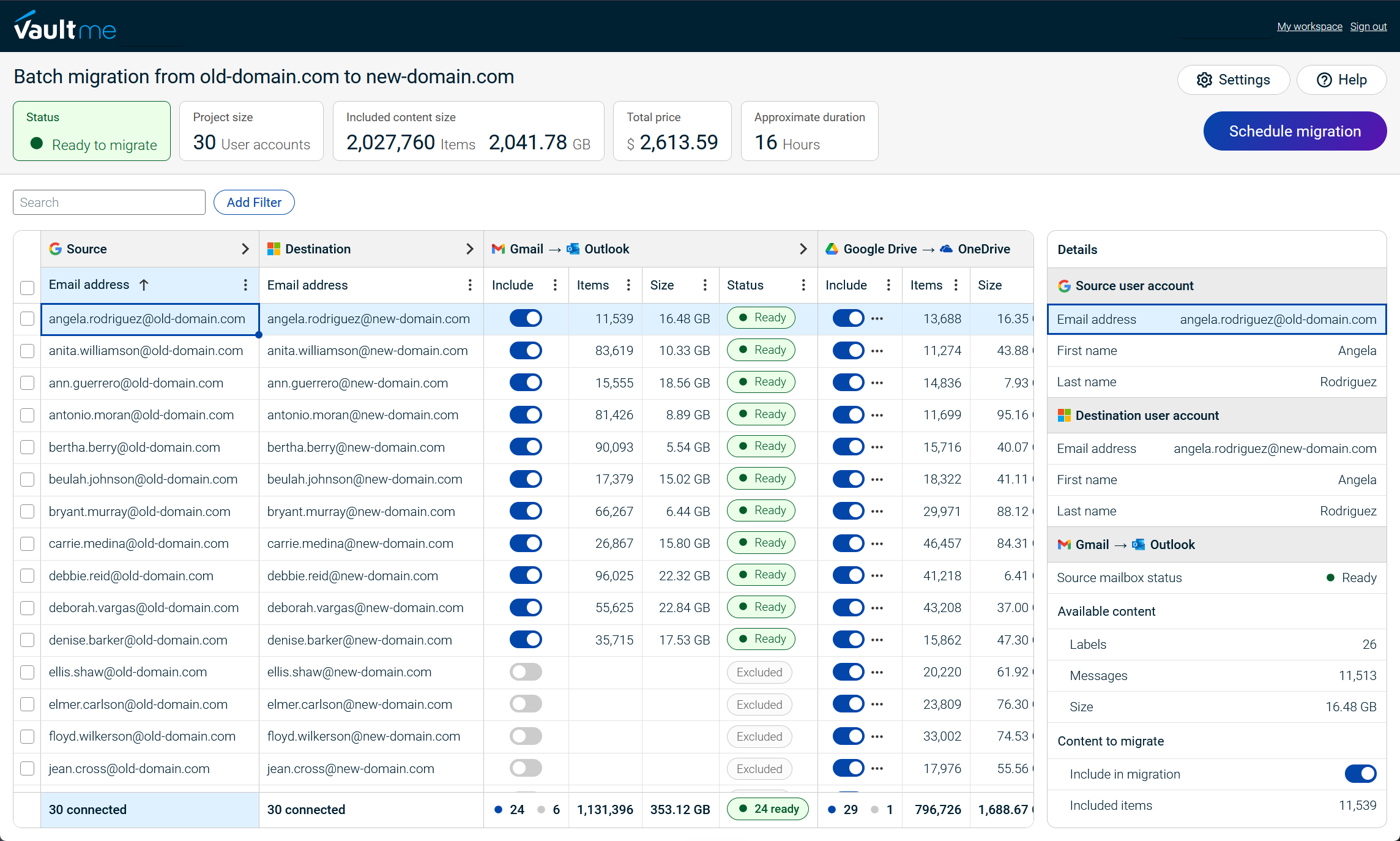

CloudM is the strongest alternative for projects where migration is one component of broader Google Workspace or Microsoft 365 administration, automation, backup, and archiving. It supports multiple content types, broad source-platform coverage, advanced configuration, and managed migration services.
MigrationWiz is best suited to experienced administrators and migration providers handling Microsoft 365 projects involving mailboxes, documents, Teams, Active Directory, or offline archives. It provides granular control over content types, filters, folders, and mappings.
Movebot is particularly relevant to file-heavy or multi-platform projects. Its capabilities make it a strong option when the M&A project extends beyond Google Workspace or Microsoft 365 accounts.
Frequently asked questions
Can cloud content be migrated without administrator access?
Yes, in some scenarios.
VaultMe fully supports account-level authorization when organization-wide administrator access is unavailable. An administrator can connect individual source and destination accounts using account credentials, or users can sign in and authorize their own accounts without sharing their passwords with the migration administrator. This approach does not require weakening account security or granting organization-wide access. Once the accounts are connected, VaultMe can migrate all supported email, files, calendars, and contacts through one coordinated workflow.
Other tools offer account-level authorization in limited scenarios. It may apply only to mailboxes, IMAP sources, or personal connectors rather than complete account content.
Can several source accounts be migrated into one destination?
Yes. VaultMe, CloudM, MigrationWiz, and Movebot support many-to-one migration, but their implementations differ. VaultMe and Movebot consolidate source accounts within one workflow. CloudM requires an advanced setting. MigrationWiz processes source mailboxes sequentially with additional configuration.
What does account archiving involve?
Account archiving preserves content from an account that will no longer remain active, such as an account belonging to a former employee. The process may involve migrating its email, files, calendars, and contacts into a designated retention account while keeping the source content identifiable. This should not be confused with compliance archiving or legal hold, which may require immutable storage, retention controls, audit capabilities, and specialized compliance tools.
Which tool is best for a small or midsized acquisition?
VaultMe is the best fit for many small and midsized acquisitions involving Google Workspace or Microsoft 365. It supports complete business-content migration, administrator and account-level authorization, coordinated migration of supported content types, integrated preparation checks, and item-level reporting. These capabilities are particularly valuable when the internal IT team has limited migration experience or must verify the result before retiring the acquired company’s environment.
When is a managed migration service appropriate?
A managed service is appropriate when the project involves large numbers of users, complex tenant structures, multiple platforms, shared-resource dependencies, strict deadlines, or significant compliance requirements. It may also be appropriate when the internal team lacks the time or specialist experience to plan and execute the migration. CloudM offers managed migration services as part of its broader Google Workspace and Microsoft 365 capabilities.
Related articles
Looking for an email migration tool? Learn what tools are available and when to use them: Best Email Migration Tools for IT Admins Compared.
Planning a Google Workspace migration? Refer to VaultMe's detailed migration guide: Google Workspace Migration: VaultMe's How-to Guide.
Need to migrate from Google Workspace to Microsoft 365? Learn how you can do that: Migrate from Google Workspace to Microsoft 365 Step by Step.
Are you an administrator of a small company IT team? Learn what you should consider when choosing a migration tool: Best Migration Tools for a Small Company IT Team: 4 Options Compared.
Need to offboard former employees? Remember to retain the contents of their user accounts: How to Archive Multiple Former Employee Accounts.
Considering a MigrationWiz alternative? Learn which tools can be used to migrate business email: Best MigrationWiz Alternatives for Business Email Migration.